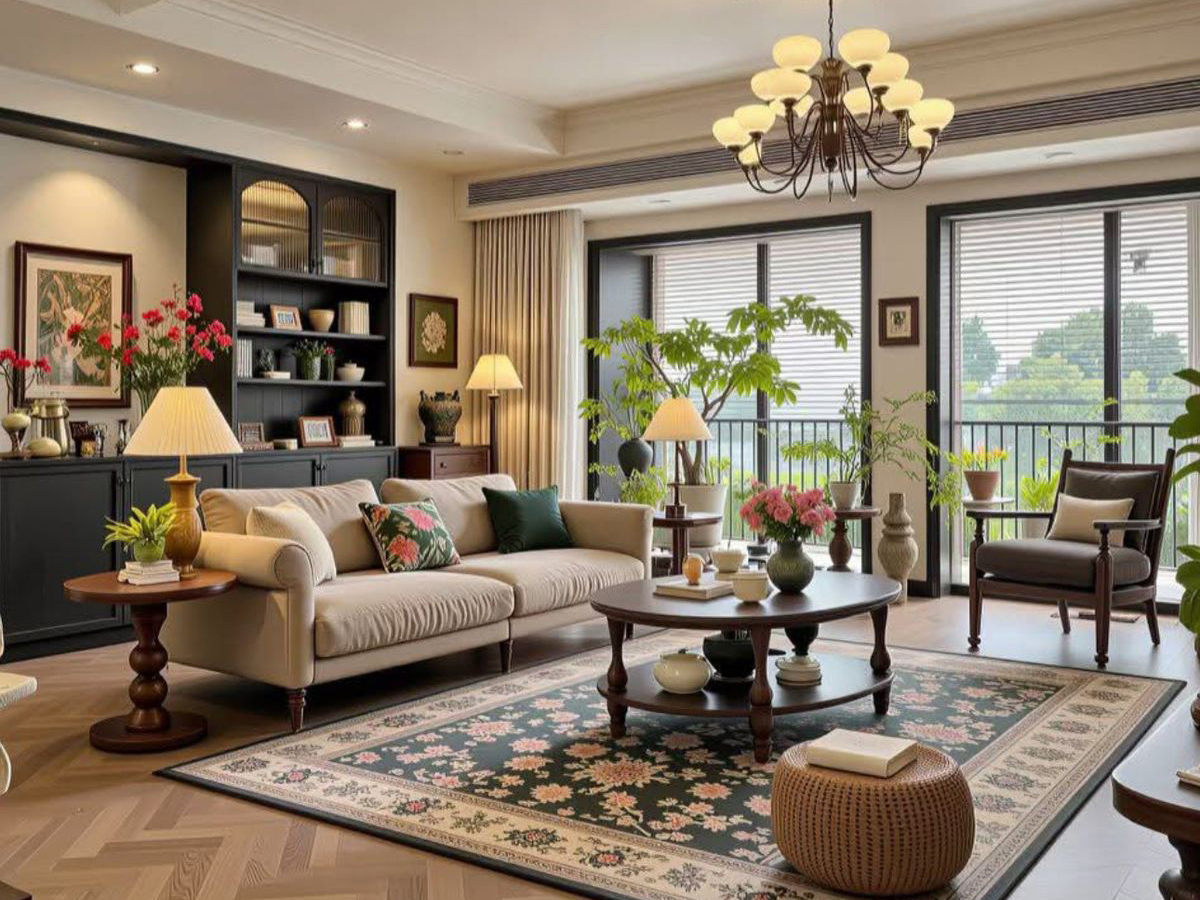



Best Background Styling Tips for Video Calls, Zoom Meetings and Home Shoots
The onset of technology has taken video calling, video meetings and video shoots at home to new heights. The age-old audio calls have made way for video calls and photos for online video content creation. Whether it is a formal video conference, a personal Zoom call or a social media shoot at home, an appropriate background is essential to set the right tone. Formal or fun, it is necessary to plan the areas in the house which can enhance video content and elevate communication. From choosing the right corner to adding the right elements to create a backdrop, thoughtful background styling can make a significant difference. Here are some essential background styling tips for video calls, Zoom meetings and home shoots: –https://www.nppartners.net/2026/03/13/work-from-home-in-style-the-ultimate-guide-to-the-perfect-home-office/
How to Style a Background for Video Calls or Zoom Meetings from Home
Today video calls are preferred over traditional audio calls as they offer a more personal and engaging experience. From the comfort of your home, you can have a face-to-face conversation with a business associate, participate in an office meeting, attend a job interview, or even chat with relatives living miles away. Since video calls create both a visual impact and an emotional connection, it becomes important for the backdrop to adapt accordingly – professional or casual.
For formal calls create a background that helps to keep the focus on you and make you look professional. Here are a few background styling tips for professional video calls
- Choose a corner or a wall with minimum distractions. An overly crowded backdrop can draw attention away from you, reducing the effectiveness of the communication. Too many posters on the wall or family photo frames not only cause visual clutter and distraction but can also appear unprofessional.
- Select a background that is clean and uncluttered. Cobwebs, peeling paint, dirty dishes, or clothes lying around give the impression of being unorganised and inattentive to detail. This is especially important during job interviews, where a neat backdrop helps strengthen your credibility.
- Incorporate subtle branding to create an office-like environment. For instance, if you are speaking with prospective clients or suppliers, placing your company logo in the background can enhance professionalism. If you offer small products, displaying them neatly on shelves behind you can reinforce the brand.
- Choose neutral tones for a calming effect. Soft whites, beiges, and light blues work best as they keep the focus on you while creating a soothing visual frame. Avoid bright colours like red or orange and dark colours like black or navy, as they divert attention to the background. If you want some brightness, introduce pop-up colours through small décor elements to create an impact without overwhelming the viewer.
- Light up your face evenly. Good lighting is essential for a clear and professional video presence. Ensure your face is well-lit with no shadows. Also, avoid sitting with an open window or door behind you, as this can create a silhouette effect. Improper lighting not only looks amateur but can also make the video call experience a strain for others.
- Maintain a consistent backdrop. Consistency reflects being grounded and reliable. If you are frequently making official video calls from home, try to use the same wall, backdrop or corner each time. Even if you are using a curtain or green screen as backdrop, keep it consistent to reinforce your identity.
- Protect your privacy. During official video calls, ensure that the background does not expose personal or sensitive areas of your home. Avoid showing expensive artefacts, open doors leading to bedrooms, etc. A professional video call must show off your personality and not your home interiors.
While the above background tips mainly apply to professional video calls, you can largely follow the same background styling tips and etiquette when making personal Zoom calls. Afterall, a well-planned background, proper lighting and good sound quality set the tone for more meaningful communication. And of course, children, family members and even pets can be a delightful part of personal video calls, adding warmth and authenticity.
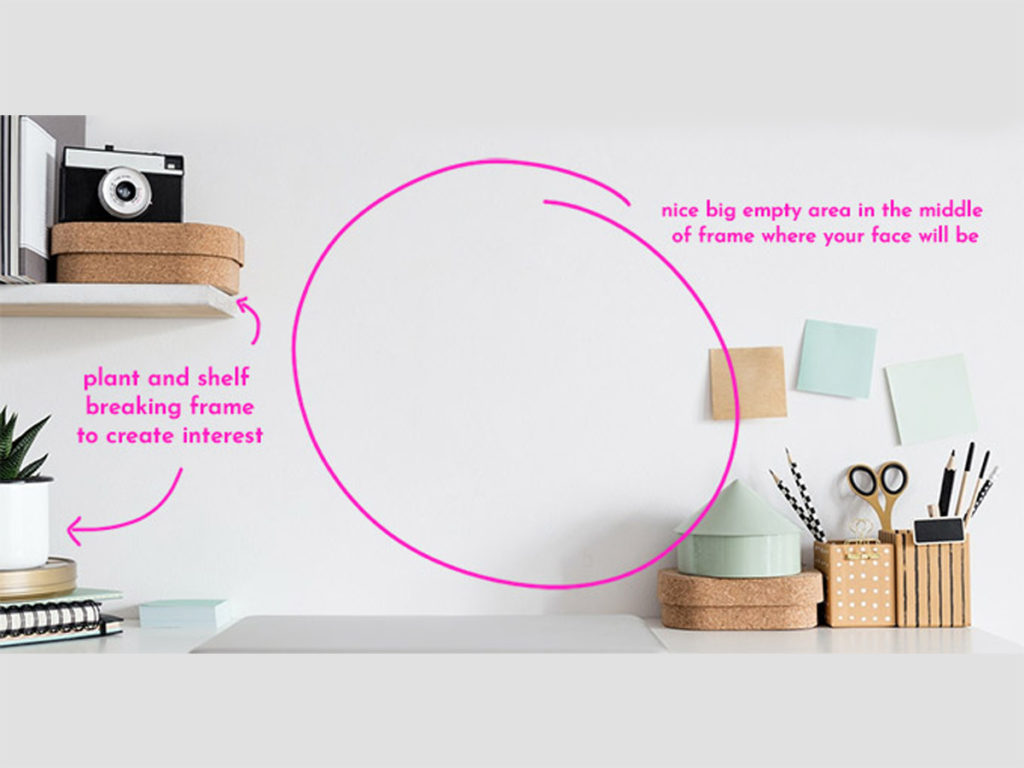
How to Style a Background for Social Media videos
Today, several content creators who know how to set up background for videos are producing engaging content right from the comfort of their homes. Whether filming a podcast, shooting a YouTube video, or creating an Instagram reel, the background plays a crucial role in ensuring a high-quality video. It must be competent and creative, providing visual information that aligns with your content’s purpose. Blank walls, overly busy backdrops and white-on-white settings often fail to capture interest in the first five seconds – and that brief window is all it takes to lose a viewer.
Since the background you choose can create a first impression, attract attention, influence a large audience, build credibility and significantly enhance the viewer experience, here are a few tips on how to style a background for Social Media videos: –
- Pick a small space. Smaller rooms with soft materials like carpets, cushions, and pillows offer better sound quality than large, empty spaces. Since most homes are not acoustically optimised for recording, choosing a compact room or adding an acoustic panel to the backdrop walls – can significantly improve your audio.
- Add few personal items. If you are creating a cooking video, for instance, avoid keeping the background plain. Instead, hang a few pots and pans or just frame few handwritten old recipes. These subtle touches create visual interest without interfering with the cooking lesson.
- Use wallpaper. Wallpaper rolls will save you the trouble of repainting a wall to cover up the damages or imperfections. Wallpapers are quick to install, affordable and available in a wide range of styles. So, choose an appropriate wall-paper design that can enhance your backdrop and keep focus on your content.
- Add fresh plants. Incorporating plants into the background instantly bring life and freshness to your video. Place them on shelves, pedestals or hang them to create visual interest. Opt for low-maintenance plants as they not only look good on camera but also require minimal effort to maintain.
- Set up an accent wall. Accent walls with colours, patterns and textures can elevate the video background. Whether it is a makeshift wooden panel, a striped fabric, a piece of artwork, or monochromatic finish, an accent wall can add depth, design and style. An accent wall creates a focal point, defines the space, and sets the tone for the video content.
- Match the background to the theme. The background should complement the subject of your video. For instance, if you are a Tarot reader and want to create a spiritual atmosphere, decorate the backdrop with crystals, geodes, magical symbols, books on the occult, candles, etc. A theme-appropriate background helps reinforce your message and build a stronger connection with viewers.
- Prefer real backgrounds over virtual backgrounds. Real, thoughtfully arranged home backgrounds appear more authentic and relatable than virtual backgrounds. Depending on your niche and audience, upgrade and re-organize your backdrop occasionally to keep it visually appealing.
The background or backdrop is a vital part of any video call, Zoom meeting or home shoots. Whether you are creating professional video content or having a casual Zoom call, choose your background with intention. The best video backgrounds add intrigue and interest – helping viewers stay focused on you and your message.